
FAB Bank Balance Check: 10 Fast & Easy Methods in UAE (2026)
Your salary has just come. Or maybe it didn’t. Either way, you need to know right now. A FAB bank balance check takes less than 30 seconds. No branch visit. No long queue. No confusion. This guide covers all 8 official methods — from a simple SMS on any basic phone to the full mobile app. Pick your method and get your answer in under a minute.
All FAB Bank Balance Check Methods at a Glance (Quick Comparison Table)
Before we go into detail, here is a quick look at every method.
| Method | Needs Internet? | Time Needed | Best For |
| PPC Portal | Yes | 30 seconds | Ratibi & prepaid card holders |
| Mobile App | Yes | 1 minute | All FAB account holders |
| SMS to 2121 | No | 20 seconds | Basic phone users, no data |
| Phone Banking | No | 2 minutes | Non-tech users, seniors |
| Online Banking | Yes | 1 minute | Desktop users |
| ATM | No | 2 minutes | Cash users, no internet |
| Payit App | Yes | 1 minute | Ratibi card holders |
| Branch Visit | No | 10 minutes | Complex issues only |
Which FAB Balance Check Method is Best for You?
If you have a Ratibi card, use the PPC portal or Payit app. If you have a full FAB account, the mobile app is your fastest option. No internet? Send an SMS to 2121. That’s it.
What is FAB Bank? (First Abu Dhabi Bank Overview)
First Abu Dhabi Bank — known as FAB — is the largest bank in the UAE. It was formed in 2017 when the National Bank of Abu Dhabi (NBAD) and First Gulf Bank (FGB) merged. If your card still says NBAD on it, don’t worry. All NBAD services now run under FAB. Every method in this guide works for your card.
FAB serves millions of customers across the UAE. It operates hundreds of ATMs in Dubai, Abu Dhabi, Sharjah, Ajman, Ras Al Khaimah, Fujairah, and Umm Al Quwain. The bank’s headquarters sits in Khalifa Business Park, Abu Dhabi. Its official website is bankfab.com.
Core Services Offered by FAB
FAB offers personal banking, business banking, salary accounts, prepaid cards, credit cards, loans, and digital wallets. It runs the Payit app—an official digital wallet used by millions of UAE workers. FAB also manages the Ratibi salary card system, which covers workers who earn AED 5,000 or less per month.
Types of FAB Accounts
FAB offers savings accounts, current accounts, salary accounts, iSave accounts, Elite accounts, and prepaid salary cards. Each type has its own balance check process. This guide covers all of them.
Is FAB Balance Check Free?
Yes. Checking your FAB balance is completely free — whether you use the app, SMS, ATM, or online portal. No hidden charges. The only exception is SMS charges if you are roaming outside the UAE on a foreign SIM.
How to check FAB Bank Balance
Method 1: FAB Account Balance Check via PPC Inquiry Portal (Fastest for Prepaid Cards)
This is the fastest method for Ratibi cardholders and prepaid card users. You don’t need to log in to full banking. You don’t need a smartphone app. Just a browser — on any phone or computer.
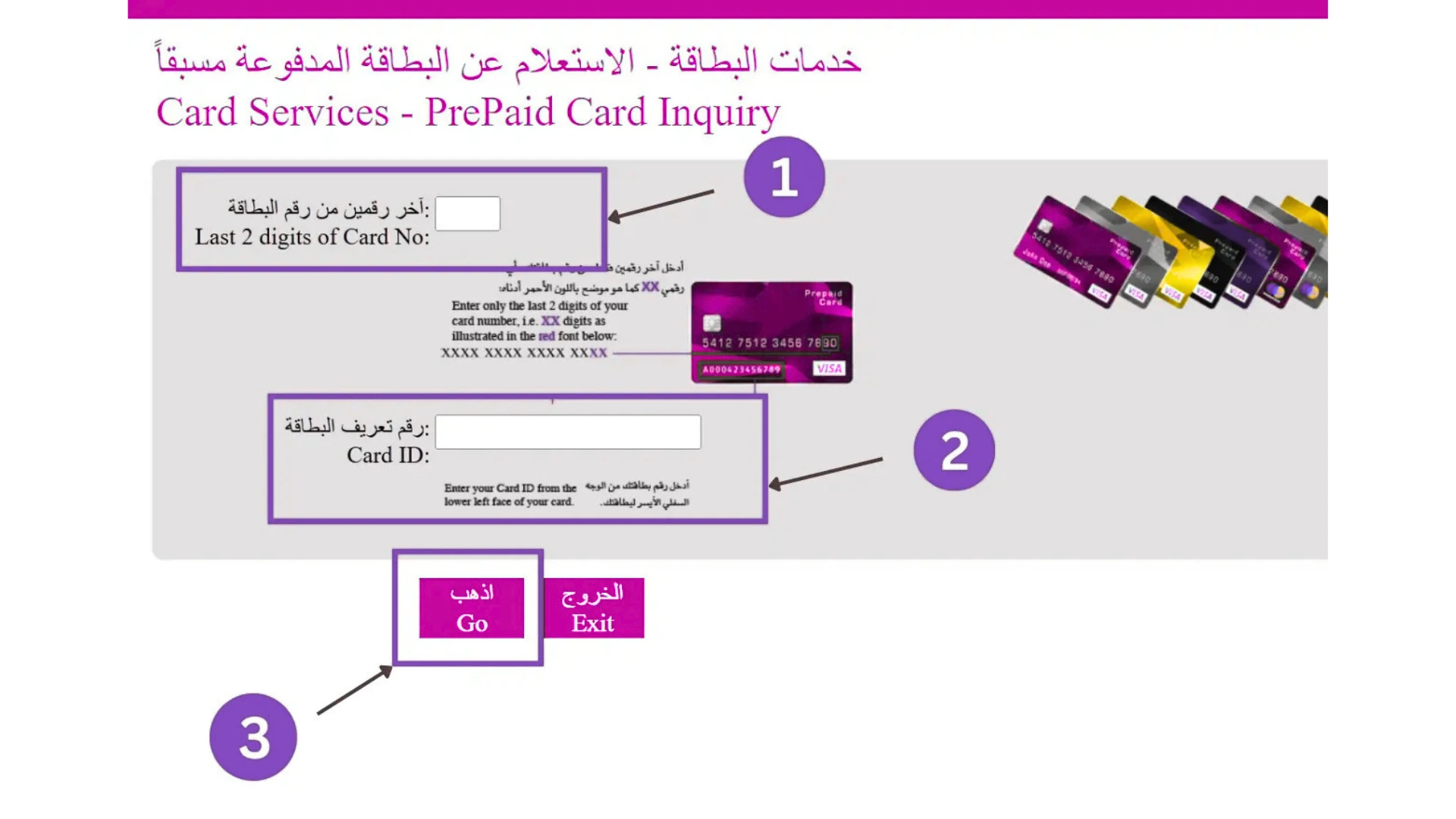
Step-by-Step: How to Check FAB Ratibi Card Balance Online
- Open your browser. Go to ppc.magnati.com/ppc-inquiry
- Enter the last 2 digits of your card number.
- Enter your Card ID. This number is printed on the front of your card.
- Complete the CAPTCHA (the human verification step).
- Click “Go.”
- Your balance appears on screen within seconds.
That’s all. No login. No password. No app needed.
What Information Is Shown on the Portal?
After you click “Go,” you will see your current balance, your last 5 to 10 transactions, your card status (active, expired, or blocked), and reload options if your card supports top-ups.
Troubleshooting PPC Portal Errors
Portal won’t load: Clear your browser cache. Try a different browser.
Wrong Card ID entered: Check the front of your card. The Card ID is the long number printed below your name.
Balance not showing: Wait 2 minutes and try again. If the issue continues, call FAB on 600 52 5500.
Method 2: FAB bank Balance Check via Mobile App (Recommended)
The FAB Mobile App is the best all-round method for people with smartphones. It shows your balance in real time, lets you view full transaction history, and works 24 hours a day.
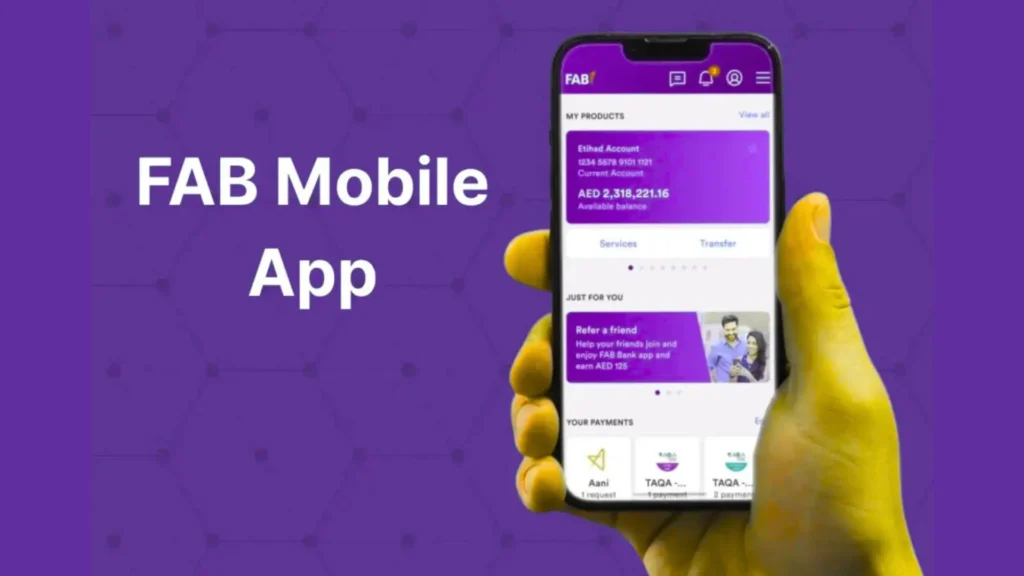
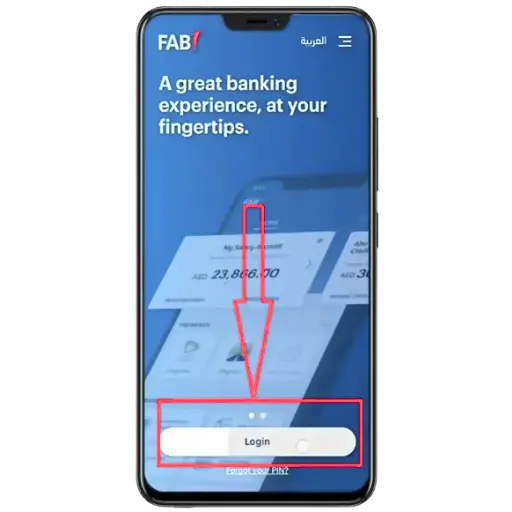
How to Download and Set Up the FAB Mobile App
Open the Google Play Store (Android) or Apple App Store (iPhone). Search for “FAB Mobile.” Download the app published by First Abu Dhabi Bank only. Avoid look-alike apps from other publishers.
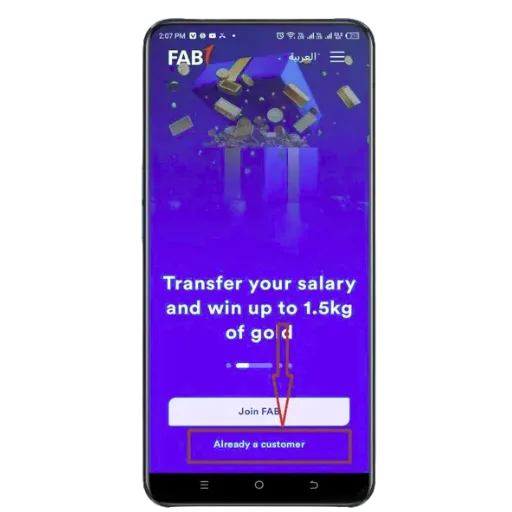
How to Log In and Verify Your Identity (OTP)
New users: Open the app and tap “Register.” Enter your registered UAE mobile number. FAB sends a 6-digit OTP (One Time Password) to your phone. Enter the OTP. Then enter your card number or Customer ID. Scan your Emirates ID using your phone camera. Complete the face verification step. Create a username and password.
Returning users: Open the app. Tap “Already a Customer.” Enter your username and password. Or use Face ID or a fingerprint if you set it up.
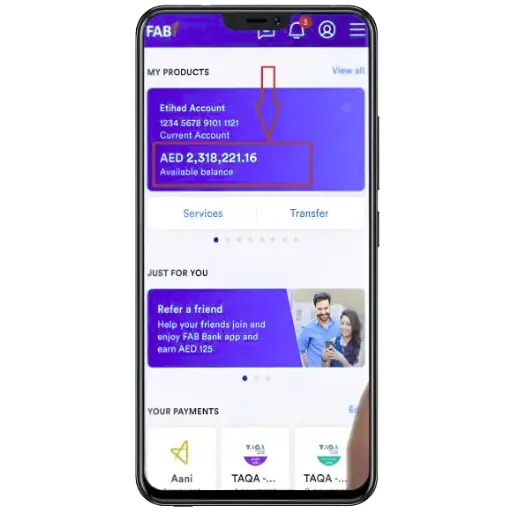
How to View Your Balance and Recent Transactions
After login, your balance appears on the home screen. Tap “Accounts” to see each account separately. You will see two numbers: Available Balance and Ledger Balance.
An available balance is the money you can spend right now. A ledger balance includes pending transactions that haven’t fully processed yet. If you bought fuel or checked into a hotel recently, those holds affect your available balance first.
Useful Features of the FAB Mobile App
The app lets you download bank statements, block or unblock your card, change your ATM PIN, transfer money locally and internationally, pay bills, and top up your Nol card. It also shows spending insights so you can track where your money goes each month.
FAB Mobile App Safety Tips
Never share your OTP with anyone. Do not use public Wi-Fi when checking your balance. Enable Face ID or fingerprint login for faster, safer access. Always log out after use on shared devices. Update the app regularly from the official app store.
Common FAB App Problems and Quick Fixes
Balance not updating: Refresh the dashboard. Log out and log back in. Check your internet connection.
OTP not arriving: Make sure your registered mobile number is active. Check that you have a mobile signal. Wait 2 minutes before requesting a new OTP.
App login failure: Check your password. Reset it using “Forgot Password” inside the app. If the issue continues, call 600 52 5500.
Account not visible: Your account may be newly opened or require an Emirates ID update. Visit the nearest FAB branch with your Emirates ID.
Can I Check FAB Balance Without Internet?
Yes. Two methods work without internet: SMS banking (send BAL to 2121) and ATM balance inquiry. Both are free and work on basic phones. No smartphone or data needed.
Method 3: FAB balance inquiry via SMS Banking
SMS banking is built for workers who use basic phones or have no mobile data. It works anywhere in the UAE. You just need your registered mobile number and a signal.
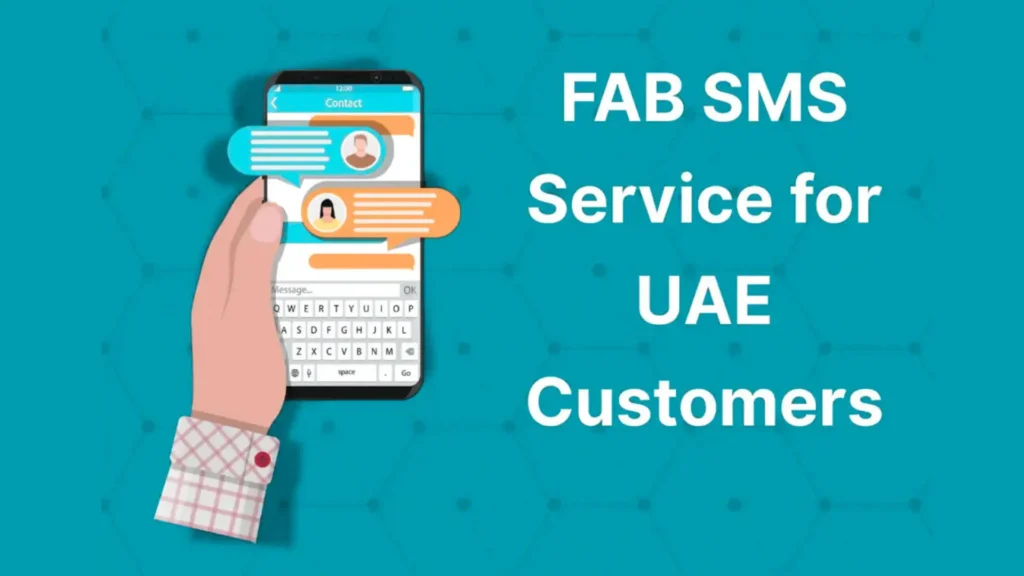
How to Register for FAB SMS Banking
You must register your mobile number before using SMS banking for the first time.
Register via FAB ATM
Go to any FAB ATM. Insert your card. Enter your PIN. Select “SMS Banking Registration.” Follow the on-screen steps. Done.
Register via Customer Care
Call 600 52 5500. Ask the agent to activate SMS banking for your account. Have your Emirates ID and card number ready.
Register at FAB Branch
Visit any FAB branch. Bring your Emirates ID and FAB card. Ask the staff to register your mobile number for SMS banking. This takes about 5 minutes.
How to Send SMS to Check FAB Balance (Exact Format)
Open your SMS app. Type: BAL 1234 (replace 1234 with the last 4 digits of your account number). Send this message to 2121. You will receive your balance within seconds.
The reply shows your available balance, ledger balance, and a summary of recent transactions.
Tip: Always send from your registered mobile number. Sending from a different number will not work.
SMS Banking Tips and Limitations
SMS banking does not show full transaction history. It gives a quick balance snapshot, not a detailed statement. If you need full history, use the app or online portal. Some prepaid card types may not support SMS banking — check with FAB if you’re unsure.

Method 4: check balance in FAB bank via Phone Banking (Best for Non-Tech Users)
Phone banking works for anyone. You don’t need the internet. You don’t need a smartphone. Just call the FAB helpline and follow the voice instructions.
FAB Phone Banking Contact Numbers (UAE and International)
UAE residents: 600 52 5500 — available 24 hours a day, 7 days a week. Outside the UAE: +971 2 681 1511 — for international callers. Ratibi card holders: 600 52 2298 or +971 2 499 6279
Always call from your registered mobile number. This speeds up identity verification.
Step-by-Step: How to Check Balance by Phone Call
- Call 600 525 500 from your registered mobile number.
- Choose your preferred language.
- Select the balance inquiry option from the menu.
- The system will ask you to verify your identity.
- Enter your account number or card number when prompted.
- Enter your phone banking PIN or date of birth.
- Your balance will be read out to you.
Total time: around 2 minutes.
FAB Virtual Agent: What It Does and How to Use It
When you call FAB, you first speak with an AI-powered virtual agent. It understands normal conversation. You don’t need to say exact commands. Just say what you need—”I want to check my balance. “It will guide you step by step. If you prefer a real person, say “agent” or press 0.
Identity Verification Requirements
FAB will ask for one or more of the following: your account number or card number, your Customer ID, your date of birth, or your phone banking PIN. Have these ready before you call.
Other Services Available via Phone Banking
Besides balance checks, you can report a lost card, dispute a transaction, ask about your salary credit, request a statement, or update your personal details—all over the phone.
Method 5: FAB Balance Check via Online Banking (Official Website)
FAB’s online banking portal works on any laptop, tablet, or desktop. It gives full access to all your accounts, statements, and transaction history in one place.
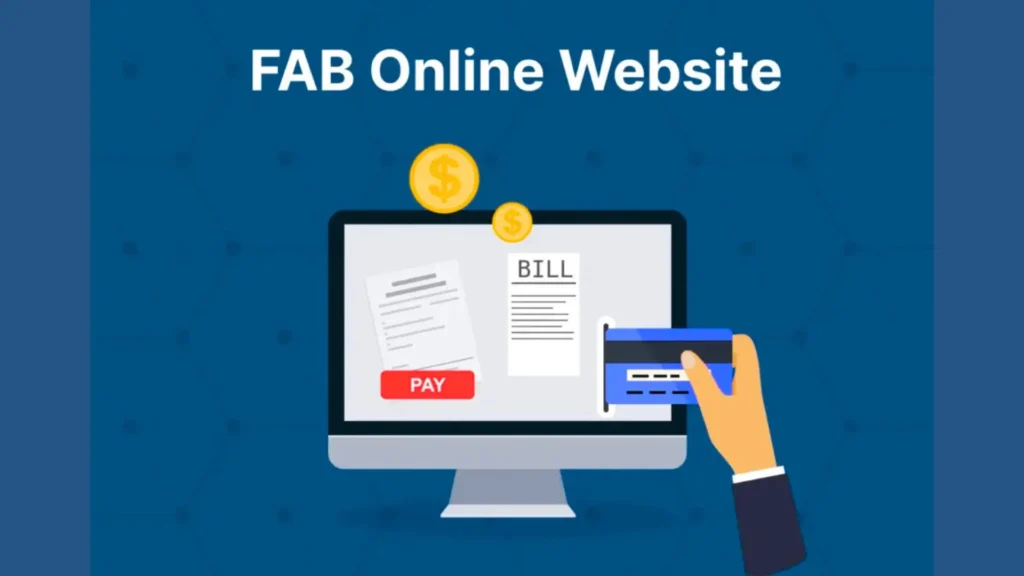
How to Log In to FAB Online Banking Portal
Open your browser. Go to online.bankfab.com. Enter your username and password. Click “Login.”
If you haven’t registered yet, Click “New User” and follow the registration steps. You will need your FAB card number and registered mobile number.
Multi-Factor Authentication (MFA) Setup
After entering your password, FAB sends an OTP to your registered mobile number. Enter the OTP to complete login. This extra step keeps your account safe from unauthorized access.
How to View Account Dashboard and Balance
After logging in, your account dashboard shows all your accounts. Click on any account to see the current balance and recent transactions. The dashboard updates in real time.
How to Download FAB Account Statement
Go to the menu. Select “e-Statements.” Choose a date range. Click “Download.” Your statement saves as a PDF. You can use this for visa applications, rental agreements, or salary proof.
Advanced Online Banking Features
Online banking lets you transfer money locally and internationally, pay utility bills, manage standing instructions, set up alerts, and apply for new products like credit cards or loans.
Online Banking Security Tips
Always log out after use. Never use public Wi-Fi for banking. Do not save your password on shared computers. If you notice any suspicious activity, call 600 52 5500 immediately.
Common Login Issues and Fixes
Forgot password: Click “Forgot Password” on the login page. Follow the steps using your card number and OTP.
Account locked: This happens after too many wrong password attempts. Call 600 525 500 to unlock your account.OTP not received: Make sure your registered mobile number is active. If your number has changed, visit a FAB branch to update it.
Method 6: FAB Bank Balance Check at ATM (With Screenshots)
The ATM method works for everyone. No internet. No smartphone. No registration needed if you already have your card and PIN.
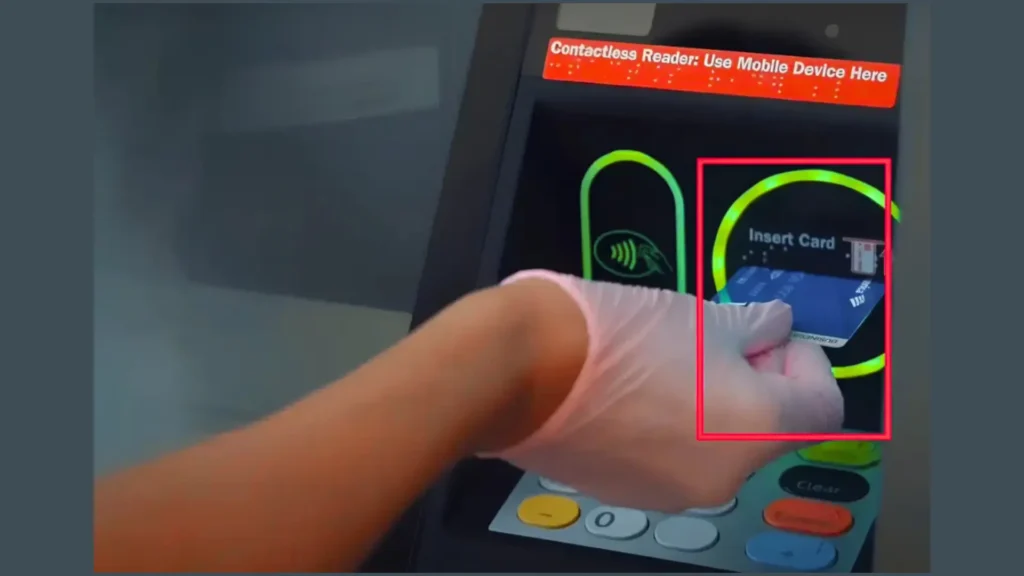
How to Find a Nearby FAB ATM in UAE
FAB has over 400 ATMs across all seven emirates. To find the nearest one: Open Google Maps and search “FAB ATM near me.” Or go to bankfab.com and use the Branch Locator tool. Or open the FAB Mobile App and tap “Find ATM.”
FAB ATMs are located in shopping malls, petrol stations, airports, residential areas, and near labor accommodation zones in Dubai, Sharjah, and Abu Dhabi.
Step-by-Step ATM Balance Inquiry Process
- Find a FAB ATM near you.
- Insert your FAB card (Ratibi, prepaid, debit, or credit).
- Enter your 4-digit PIN carefully.
- From the main menu, select “Balance Inquiry.”
- Your balance appears on screen.
- Choose “Print Receipt” if you need a paper record.
- Take your card before you leave.
Note: Checking your balance at a FAB ATM is always free. Using a non-FAB ATM may cost AED 1 to AED 2.10 per inquiry.
ATM Balance Check Safety Tips
Cover the keypad when entering your PIN. Do not accept help from strangers at the ATM. Check that the ATM looks normal — no extra attachments around the card slot. If your card gets stuck, call 600 52 5500 immediately from the ATM location.
Common ATM Issues and Quick Fixes
Card not reading: Clean the card chip gently with a soft cloth. Try again.
Wrong PIN entered: You have 3 attempts. After 3 wrong PINs, your card gets blocked. Call FAB or visit a branch to unblock it.
Balance shows zero: Your salary may not have been credited yet. Check the date—most UAE salaries are credited on the 25th to 28th of the month under WPS rules.
Is FAB Balance Check Available 24/7?
Yes. The mobile app, online banking portal, ATM, and SMS method all work 24 hours a day, 7 days a week. Phone banking via 600 52 5500 is also available round the clock. Branch visits follow standard banking hours—Sunday to Thursday, 8am to 3pm in most locations.
Method 7: FAB Bank Balance Check via Payit Wallet App
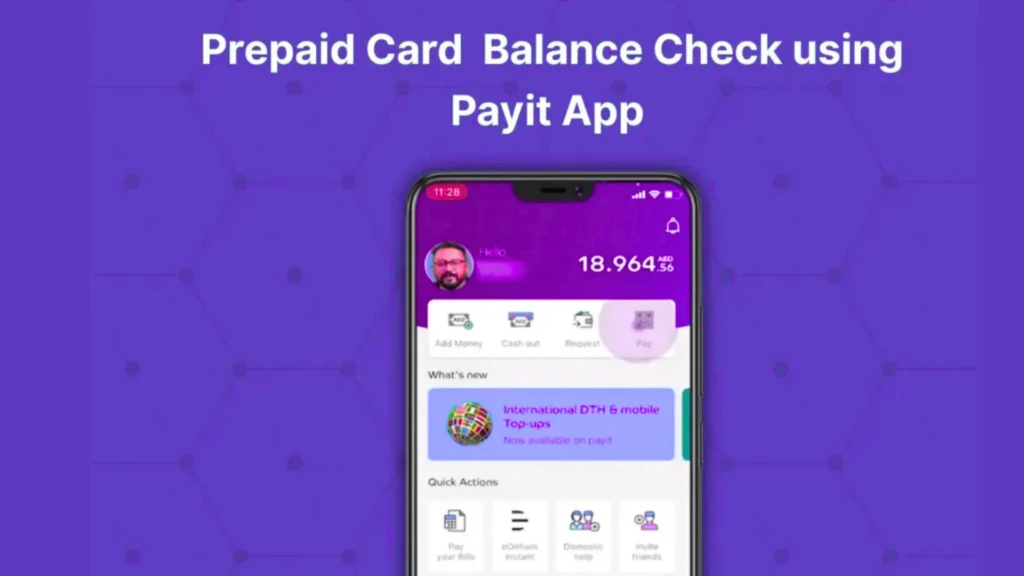
Payit is FAB’s official digital wallet. It’s the most recommended method for Ratibi cardholders who want to check their balance without visiting an ATM or using a browser.
How to Download and Set Up Payit App
Open Google Play Store or Apple App Store. Search “Payit.” Download the app published by First Abu Dhabi Bank. Open the app and tap “Get Started.”
How to Link Your FAB Ratibi Card to Payit
During setup, the app asks what type of card you have. Select “Ratibi Cardholder.” Enter your registered mobile number. Enter the OTP sent to your phone. Enter your Ratibi card number. Complete the verification steps. Your card is now linked.
How to Check Balance in Payit App
After logging in, your Ratibi card balance appears on the home screen. Tap on your card to see the full balance and recent transactions. Payit updates your balance in real time—the same second your salary arrives.
Payit App Troubleshooting (Balance Not Syncing, Zero Balance)
Balance not syncing: Log out and log back in. Make sure you have a strong internet connection. Update the app from the App Store.
Balance shows zero, but salary should be in: Your employer may not have processed payroll yet. Wait until the next business day. If the issue continues after 48 hours, call the Ratibi helpline at 600 522 298.
Can’t link Ratibi card: Make sure the mobile number you enter matches the one registered with your employer’s HR department. If they’re different, ask HR to update your details.
Method 8: FAB Balance Check at Branch
Branch visits are the slowest method. Use this option only when other methods are not working or when you need face-to-face help.
Documents Required for Branch Visit
Bring your Emirates ID and your FAB card. If your Emirates ID is expired, FAB may not be able to help until you renew it. Keep it updated at all times.
Step-by-Step Branch Balance Inquiry Process
- Visit any FAB branch during working hours.
- Take a queue number from the reception desk.
- When called, hand your Emirates ID and card to the staff.
- Ask for a balance inquiry or mini statement.
- The staff will print your balance details.
Most branches in Dubai and Abu Dhabi have dedicated counters for quick services. The process usually takes 10 to 15 minutes including waiting time.
Extra Services You Can Request at the Branch
At the branch, you can update your registered mobile number, request a new card if yours is damaged, fix a blocked account, apply for a salary certificate, get a stamped bank statement, or speak to a relationship manager about your account.
FAB balance inquiry for Ratibi Salary Card (Special Guide)
The Ratibi card is different from a regular FAB bank account. It has its own system. This section covers everything a Ratibi cardholder needs to know.
What Is the FAB Ratibi Card?
The FAB Ratibi card is a prepaid salary card issued by First Abu Dhabi Bank. It was created for employees who earn AED 5,000 or less per month. Workers receive their salary directly onto this card without needing a traditional bank account.
The card operates under the UAE Wage Protection System (WPS), managed by the Ministry of Human Resources and Emiratisation (MOHRE). This means your employer must pay your salary through the WPS system on time, every month. The Ratibi card is their official tool to do that.
The card works like a debit card. You can use it at ATMs, shops, and for online payments. There is no minimum balance. There are no monthly charges.
How to Check FAB Ratibi Salary Balance Online (Magnati Portal)
The fastest way is the PPC portal at ppc.magnati.com/ppc-inquiry. Enter the last 2 digits of your card and your card ID. Click “Go.” Your salary balance shows in seconds. No login required.
You can also check via the Payit app, the FAB Mobile App (tap Cards, then Prepaid Cards), an ATM, or by calling 600 52 2298.
Salary Not Reflected? Here’s Why and How to Fix It
If your salary has not appeared on your Ratibi card, here are the most common reasons:
Payday not yet reached: UAE law under WPS requires employers to pay by the last working day of the month. If today is the 25th and you haven’t been paid, wait one more day.
Employer delayed payment: If it’s past the last working day and still no salary, contact your HR department first. If they don’t help, file a complaint with MOHRE by calling 800 60.
Card blocked: Your card may be blocked due to an expired Emirates ID or too many wrong PIN attempts. Call 600 522 298 to check your card status.
Wrong card balance: You may be checking the wrong card. Some workers have two cards. Make sure you’re entering the correct card ID.
All Methods to Check Ratibi Card Balance
- PPC Magnati Portal — ppc.magnati.com/ppc-inquiry (fastest, no login)
- Payit App — best for daily use
- FAB Mobile App — tap Cards, select Prepaid
- FAB ATM — insert card, enter PIN, select Balance Inquiry
- SMS to 2121—send BAL followed by last 4 digits
- Phone call—dial 600 52 2298 (Ratibi helpline)
Top 10 Benefits of Checking Your FAB Balance Regularly
Checking your balance is not just about knowing your number. It’s about protecting your money.
Catch Fraud and Suspicious Transactions Early
If someone uses your card without permission, you’ll see the transaction in your history. The earlier you catch it, the faster FAB can block the card and recover your money. Report suspicious transactions to 600 52 5500 immediately.
Avoid Overdraft Fees and Penalties
Some FAB account types have overdraft facilities. Checking your balance before a large purchase stops you from going below the limit and getting charged.
Verify Every Transaction is Correct
Sometimes a merchant charges twice by mistake. Checking your balance after every big purchase helps you catch double charges early. You can dispute them within 60 days of the transaction date.
Track Your Spending Habits
When you check your balance regularly, you start to notice patterns. You see how much goes on food, transport, and phone top-ups each week. This awareness alone helps most people save money.
Plan for Large Purchases Ahead of Time
Sending money home, buying a flight ticket, or paying rent all require planning. Knowing your exact balance helps you decide when to send and how much to keep for daily needs.
FAB bank Balance Check Errors and Quick Solutions
App Login Not Working — Fixes
Reset your password using the “Forgot Password” link inside the app. Make sure the app is updated. If your account is locked after multiple failed attempts, call 600 52 5500.
Balance Not Updating — Fixes
Log out of the app and log back in. Check your internet connection. If the issue persists on a Friday night, FAB often runs system maintenance then. Try again on Saturday morning.
SMS Banking Not Working — Fixes
Confirm your mobile number is registered with FAB. Check that you’re sending from the correct registered number. Make sure the SMS format is right: BAL followed by a space and the last 4 digits of your account number, sent to 2121.
ATM Error Messages — Fixes
“Invalid PIN”—try again carefully. Three wrong attempts block your card: “Card Not Supported”—your card may have expired. Check the expiry date on the front. “Unable to Process”—the ATM may be out of service. Try the next nearest FAB ATM.
Online Banking Login Failed — Fixes
Clear your browser cookies. Use a different browser. Reset your password via the login page. If your account is suspended, call 600 52 5500 or visit a branch with your Emirates ID.
How to Open a FAB Account (Online and at a Branch)
Requirements for FAB Account Opening
You need a valid Emirates ID, a UAE residency visa (for expats), a passport copy, a recent utility bill or tenancy contract for address proof, and your employer’s letter if applying for a salary account.
How to Open FAB Account via Mobile App
Open the FAB mobile app. Tap “New Customer.” Follow the guided steps to enter your details, scan your Emirates ID, and complete face verification. Some account types open within minutes. Others may require a branch visit to complete.
How to Register for FAB Online Banking
Go to online.bankfab.com. Click “New User.” Enter your FAB card number or account number. Enter your registered mobile number. Enter the OTP. Create your username and password. Done.
How to Download FAB Bank Statement from Mobile App
Log in to the FAB Mobile App. Tap “Accounts.” Select the account you want. Tap “e-Statements.” Choose the month or date range. Tap “Download.” The statement saves as a PDF to your phone. You can send it by WhatsApp or email to your employer, landlord, or embassy.
Does FAB Offer WhatsApp Banking?
No. FAB does not offer official WhatsApp banking in 2026. Any WhatsApp number claiming to be FAB banking is unofficial and potentially fraudulent. Do not share your card details, PIN, or OTP with anyone on WhatsApp. FAB only communicates through its official app, website, and verified phone numbers.
How to Get a Salary Certificate from FAB
Log in to FAB online banking. Go to the “Certificates” or “Documents” section. Select “Salary Certificate.” Choose the purpose (visa, loan, rental, etc.). Download or request a stamped copy. For a stamped physical copy, visit your nearest FAB branch with your Emirates ID.
FAB Customer Support — All Contact Details
| Service | Contact |
| General Support (UAE) | 600 52 5500 |
| International Callers | +971 2 681 1511 |
| Ratibi Card Helpline | 600 52 2298 |
| Ratibi International | +971 2 499 6279 |
| Official Website | bankfab.com |
| Branch Locator | bankfab.com/en-ae/branch-locator |
| Payit Support | Available inside the Payit app |
All numbers work 24 hours a day, 7 days a week.
Final Verdict: Best FAB bank Balance Check Method for Every User Type
Every worker, every account type, and every situation has a best method. Here’s the short answer.
Best for Speed — FAB Mobile App
If you have a smartphone and internet, the FAB mobile app is your go-to. Real-time balance, full transaction history, and complete account control — all in one place.
Best for No Internet — SMS or ATM
No data? No problem. Send BAL to 2121 from your registered number. Or walk to the nearest FAB ATM and check your balance in 2 minutes. Both are free.
Best for Non-Tech Users — Phone Banking
If apps and websites feel confusing, just call 600 52 5500. The voice assistant guides you through the process step by step in simple language. Real agents are also available if you need extra help.
Best for Salary Workers—Payit or Ratibi Portal
If you receive your salary on a Ratibi card, use the Payit app or the PPC portal at ppc.magnati.com. These are built specifically for your card type. They show salary credits the moment your employer transfers the money.

Hey, I’m Salman Farsi. I’ve spent years working closely with UAE banking systems and customer support processes, and I started this site to make that knowledge accessible to everyone. Whether it’s checking your balance, understanding your Ratibi card, or solving a banking issue quickly—I write the kind of guide I wish I’d had when I needed answers fast.